

Overview
USBDeview is a lightweight Windows utility designed to help users manage and monitor USB devices connected to their computers. The tool provides detailed information about every USB device currently connected to a system as well as devices that were previously connected.
The website usbdeview.com provides information and download links for this utility. The software was originally developed by NirSoft, a well-known developer of free Windows utilities used by IT professionals and system administrators.
The tool is especially useful for troubleshooting USB problems, monitoring device activity, and removing unused or malfunctioning USB drivers from a Windows system. Unlike many modern utilities, USBDeview is portable, meaning it does not require installation and can run directly from a downloaded file.
Main Features of USBDeview
1. View All USB Devices
One of the most important features of USBDeview is its ability to display a list of all USB devices connected to a computer, including devices that were connected in the past.
The tool provides detailed information such as:
- Device name and description
- Vendor ID and product ID
- Serial number
- Date and time of connection
- Device type
This helps users identify unknown devices or track hardware connected to a computer.
2. Enable or Disable USB Devices
USBDeview allows users to enable or disable USB devices directly from the software interface.
This feature is useful for:
- Troubleshooting malfunctioning hardware
- Preventing unauthorized USB devices
- Managing security policies in offices
IT administrators often use this function to restrict USB access in corporate environments.
3. Uninstall Unused USB Drivers
Over time, Windows stores records of every USB device connected to the computer. These leftover drivers can sometimes cause system conflicts.
USBDeview helps users:
- Remove outdated USB drivers
- Clean up unused device entries
- Fix connection problems caused by driver conflicts
This function can improve system stability and reduce USB errors.
4. USB Speed Testing
The tool includes a USB speed test feature that allows users to measure the read and write speed of USB flash drives and external storage devices.
This helps determine whether a USB device is performing correctly or experiencing performance issues.
5. Remote USB Management
Another useful feature is the ability to monitor USB devices on remote computers within the same network.
This functionality allows system administrators to:
- View connected devices on remote systems
- Disable unauthorized USB drives
- Monitor device activity
This feature is especially valuable for enterprise IT environments.
Pros (Merits)
1. Completely Free Software
USBDeview is a free utility with no premium version, meaning all features are available without payment or subscription.
2. Portable Application
The tool does not require installation, making it convenient for quick diagnostics or portable use.
3. Detailed USB Information
It provides comprehensive information about USB devices including connection history, vendor details, and serial numbers.
4. Useful for Troubleshooting
The software helps fix USB problems such as driver conflicts, connection errors, and unidentified devices.
5. Helpful for IT Professionals
System administrators and cybersecurity professionals often use the tool to monitor device activity and investigate suspicious USB usage.
Cons (Demerits)
1. Windows-Only Tool
USBDeview is designed mainly for Microsoft Windows systems and is not available for macOS or Linux.
2. Basic User Interface
The interface is simple and somewhat outdated compared to modern software tools.
3. Antivirus False Positives
Some antivirus programs may flag the utility as suspicious because it interacts with system hardware settings, although these alerts are usually false positives.
4. Limited Customer Support
Since the tool is free, it does not provide dedicated technical support.
5. Website Authority is Limited
Security analysis shows that the website usbdeview.com is relatively new and has moderate trust scores, meaning users should verify downloads carefully.
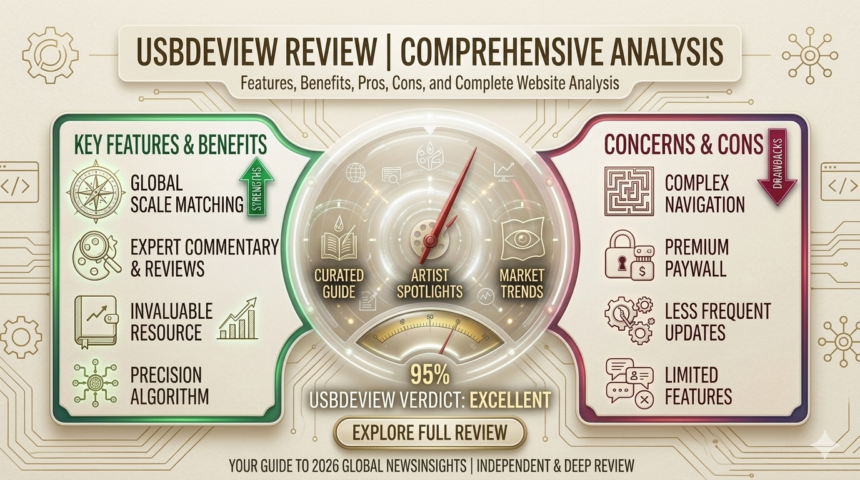
Merits and Demerits Summary
Major Advantages
- Free and lightweight utility
- Portable and easy to use
- Displays detailed USB device information
- Useful for troubleshooting USB issues
- Suitable for IT professionals and system administrators
Major Disadvantages
- Limited to Windows systems
- Basic user interface
- Possible antivirus warnings
- Limited official support
Final Recommendation
USBDeview is an excellent tool for users who need to monitor, manage, or troubleshoot USB devices on Windows computers. It is especially useful for IT technicians, cybersecurity experts, and advanced users who need detailed hardware information.
However, casual users who only need simple device management tools may find the interface somewhat technical.
For safe use, it is recommended to download the tool from trusted sources or the official developer website.
Final Verdict
USBDeview remains one of the most practical utilities for USB device management on Windows systems. Despite its simple interface and lack of advanced graphical design, the software delivers powerful functionality and reliable performance.